ERNIE Image Review (2026): The AI Image Generator That Finally Gets Text Right
Quick Verdict: In this ERNIE Image review, the model stands out as a leading open-source AI image generator for text-heavy visuals such as posters, infographics, comics, and bilingual content. For purely artistic, style-driven images without text, Midjourney may deliver stronger results.
What Is ERNIE Image?
ERNIE Image is an open-source AI image generator released by Baidu in April 2026. Built on an 8B Diffusion Transformer (DiT), it is designed for clear, readable text inside images, structured layout control, and bilingual English–Chinese prompts.
The model offers two modes:
- SFT (50 steps): Maximum quality for final outputs
- Turbo (8 steps): Up to ~6× faster for rapid iteration
ERNIE Image can run locally on a single 24 GB GPU and is released under the Apache 2.0 license, enabling commercial use, self-hosting, and fine-tuning.
Who Built ERNIE Image — And Why It Matters
ERNIE Image was developed by Baidu's core AI research team, a pioneer in natural language processing and deep learning. Baidu has been at the forefront of AI research for over a decade, developing the ERNIE (Enhanced Representation through Knowledge Integration) family of models. With the release of ERNIE Image, the team has expanded its expertise into cross-modal generative AI, combining state-of-the-art text understanding with advanced diffusion transformer technologies.
This model was created to solve a persistent limitation in most AI image generators: reliable text rendering inside images. In typical diffusion models, poster headlines, product labels, comic dialogue, and bilingual layouts often appear distorted, misspelled, or completely unreadable. The ERNIE Image model addresses this issue by integrating a native bilingual text encoder that processes both English and Chinese characters with high precision.
By utilizing an 8-billion parameter Diffusion Transformer (DiT) architecture, ERNIE Image bridges the gap between text comprehension and spatial visual planning. The model uses a single-stream design where text tokens and image patches are processed in a unified attention space. This allows the model to co-design the layout and the textual shapes simultaneously, resulting in a dramatic increase in spelling accuracy and semantic consistency.
Unlike closed-source models that prioritize proprietary visual styles alone, ERNIE Image includes benchmark-driven improvements for text accuracy, making it especially useful for:
- Marketing and advertising teams needing localized ad copy
- Content and graphic designers creating social media templates
- Product and SaaS teams generating structured infographics and dashboards
- Developers building customized visual tools using open-source weights
By providing these weights under the Apache 2.0 license, Baidu enables the global developer community to fine-tune the model for domain-specific applications, representing a major shift toward open-source accessibility in the generative media landscape.
ERNIE Image Key Features at a Glance
| Feature | Details |
|---|---|
| Architecture | 8B Diffusion Transformer (DiT), single-stream design |
| Modes | SFT (50 steps, max quality) · Turbo (8 steps, ~6× faster) |
| Resolution & Ratios | Up to 1024×1024 with 6 supported aspect ratios |
| Text Rendering | LongTextBench: 0.9733 (high text clarity) |
| Instruction Following | GENEval: 0.8856 (strong layout & control) |
| Bilingual Support | English + Chinese near-parity |
| License | Apache 2.0 (commercial use, self-hosting allowed) |
| Hardware | Runs on a single 24 GB GPU |
| Deployment | Supports Diffusers, SGLang, and Hugging Face |
Image Quality — What ERNIE Image Actually Produces
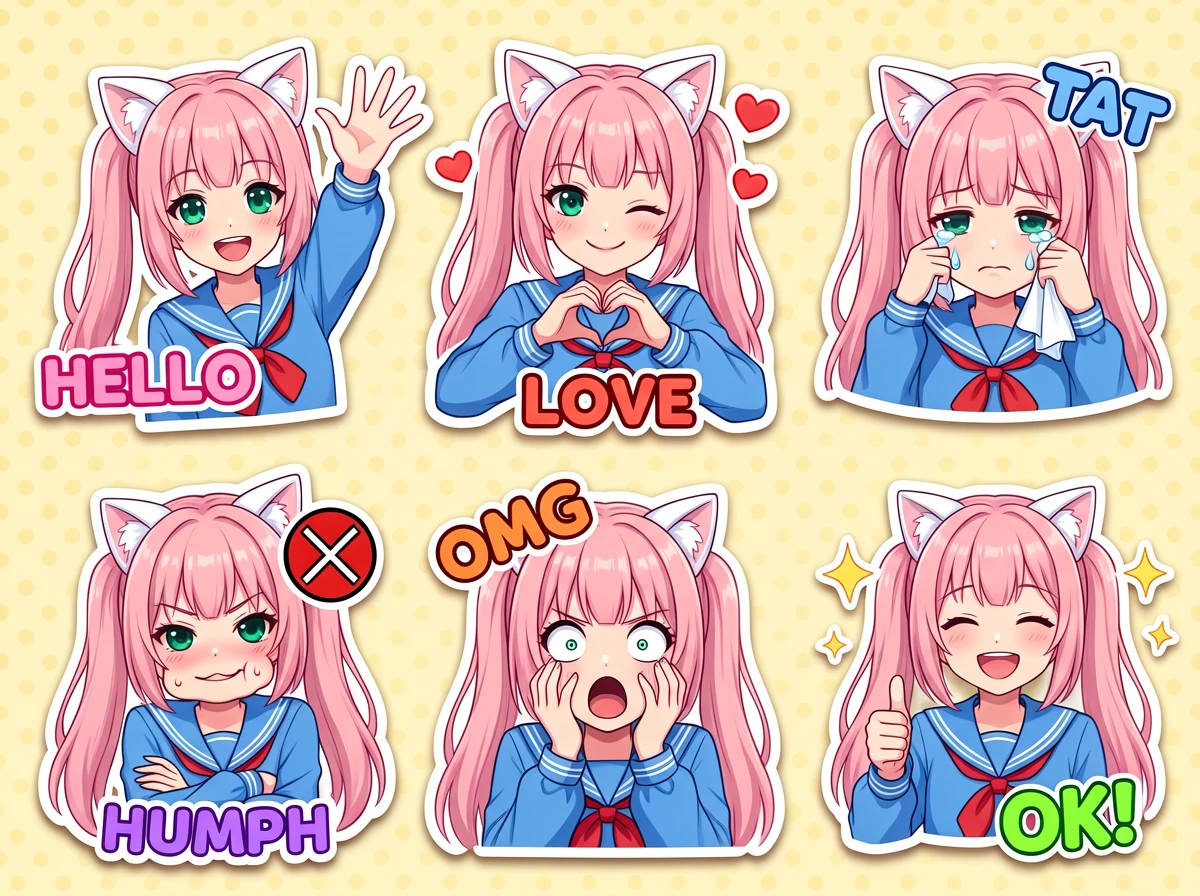
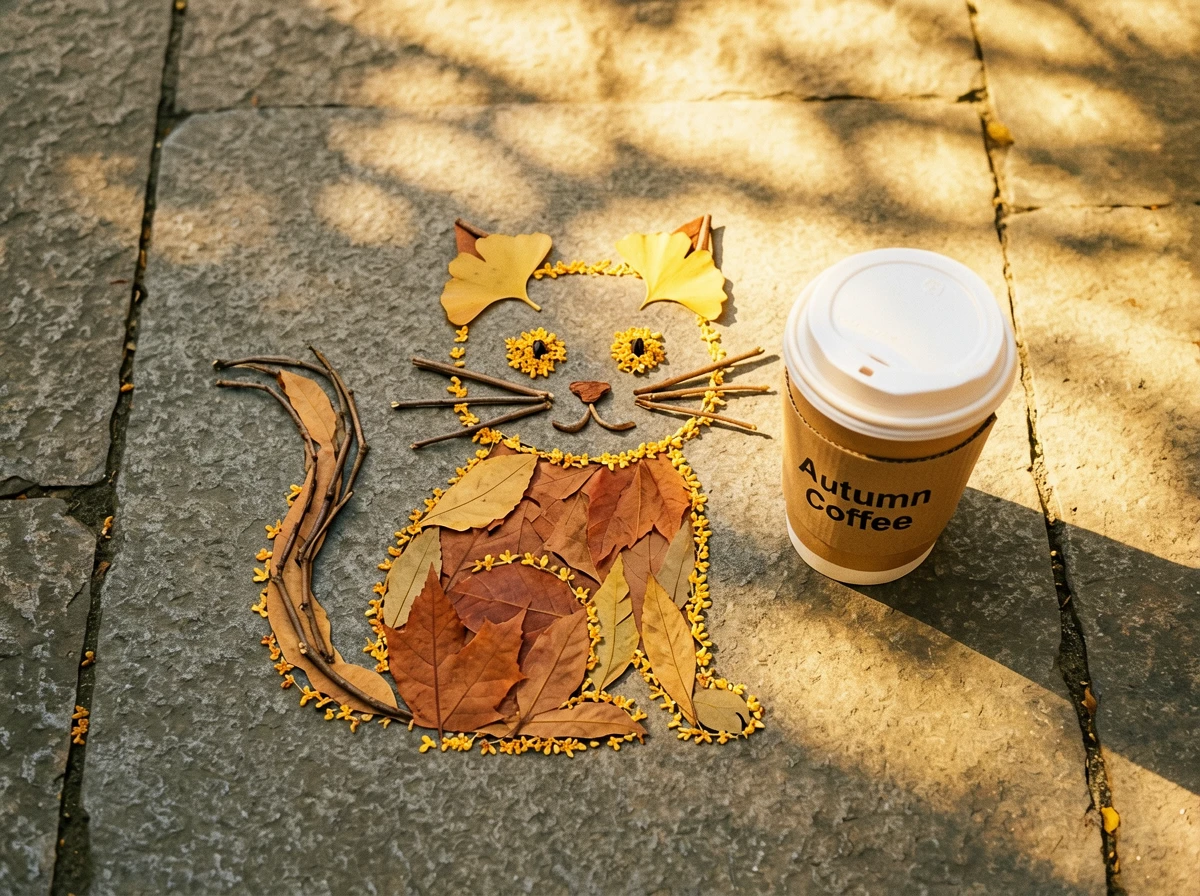
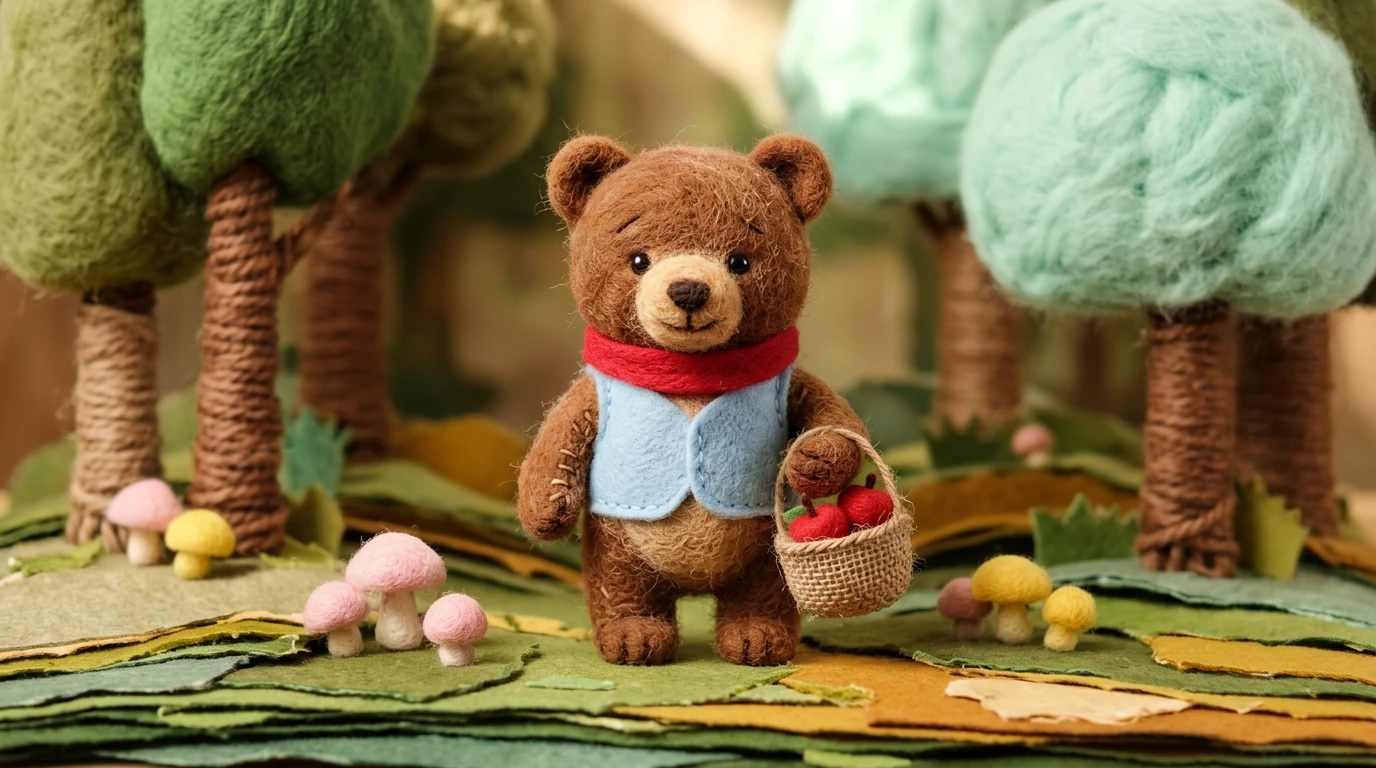
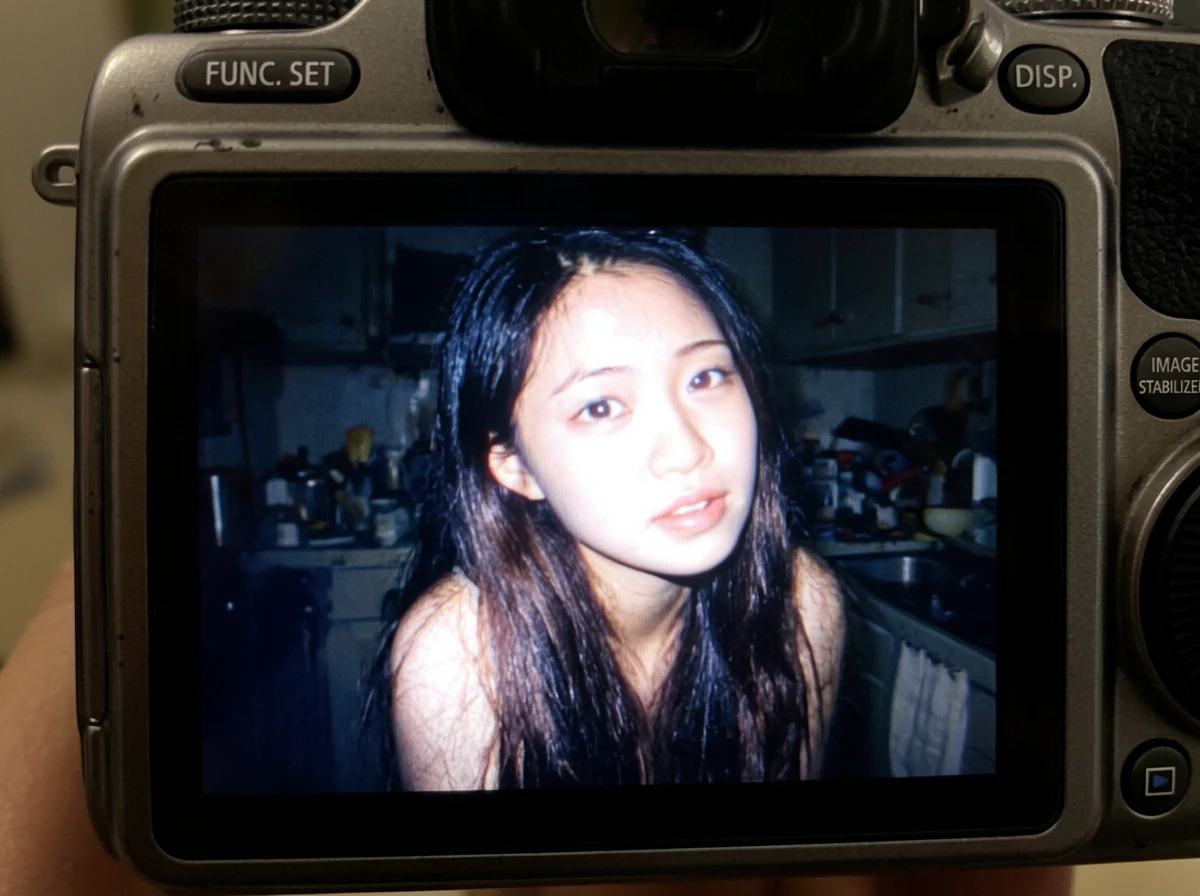
In this ERNIE Image review, the model delivers strong, natural-looking results for portraits and lifestyle visuals, with consistent lighting and realistic details.
Its biggest advantage appears in structured image generation—including posters, product visuals, comic scenes, and layouts with precise text placement. ERNIE Image handles composition and in-image text more reliably than most AI image generators.
For purely artistic, style-driven exploration, Midjourney often produces more visually expressive and surprising results. ERNIE Image remains competitive but is optimized for control and consistency over artistic variation.
🖼️ Visual Comparison
Text Rendering — Where ERNIE Image Excels
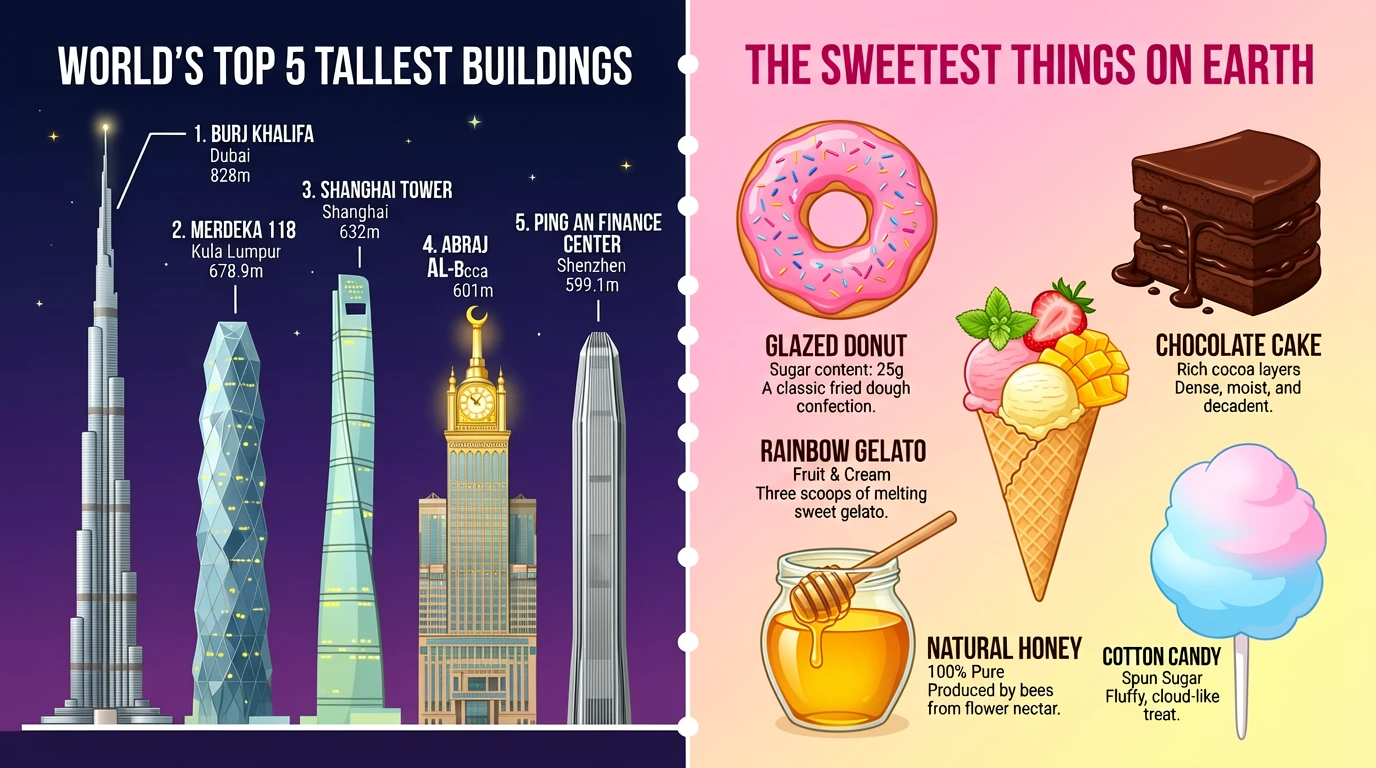
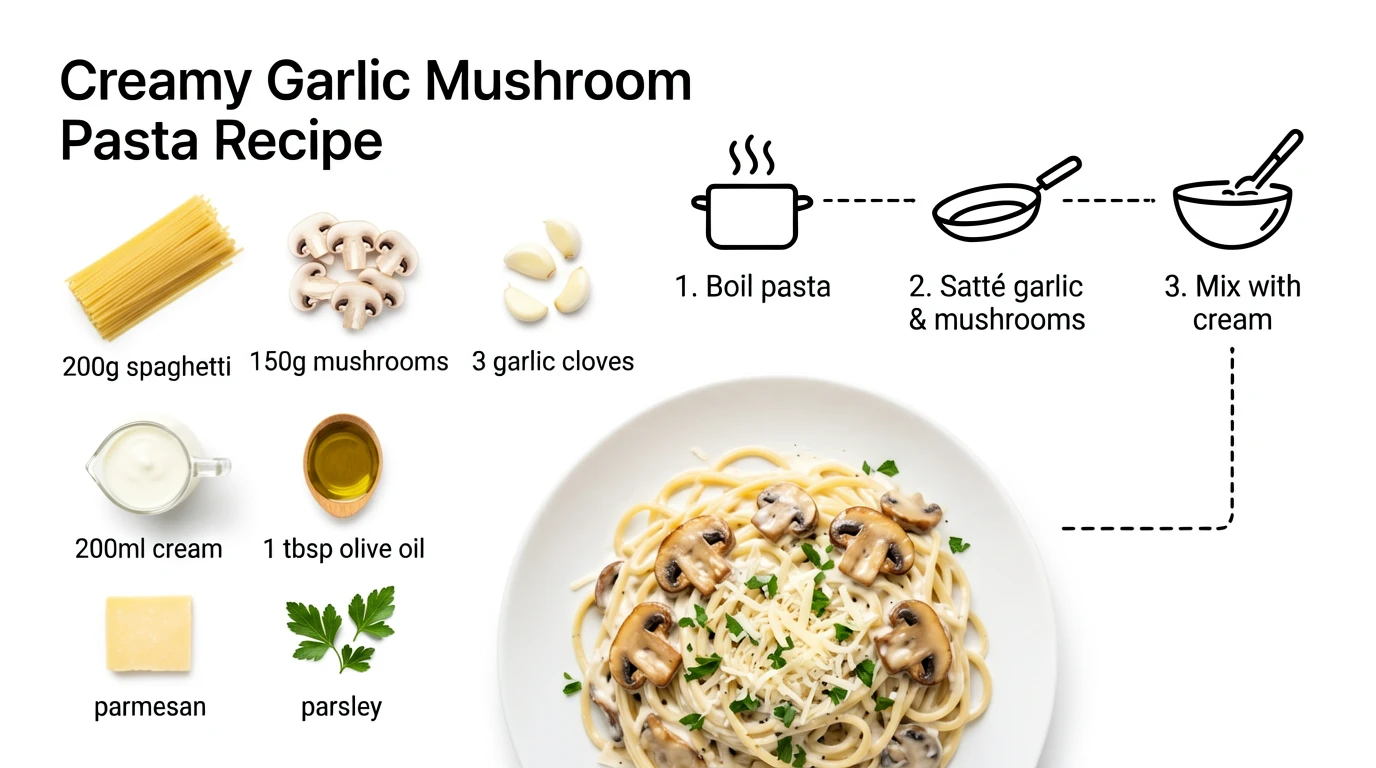
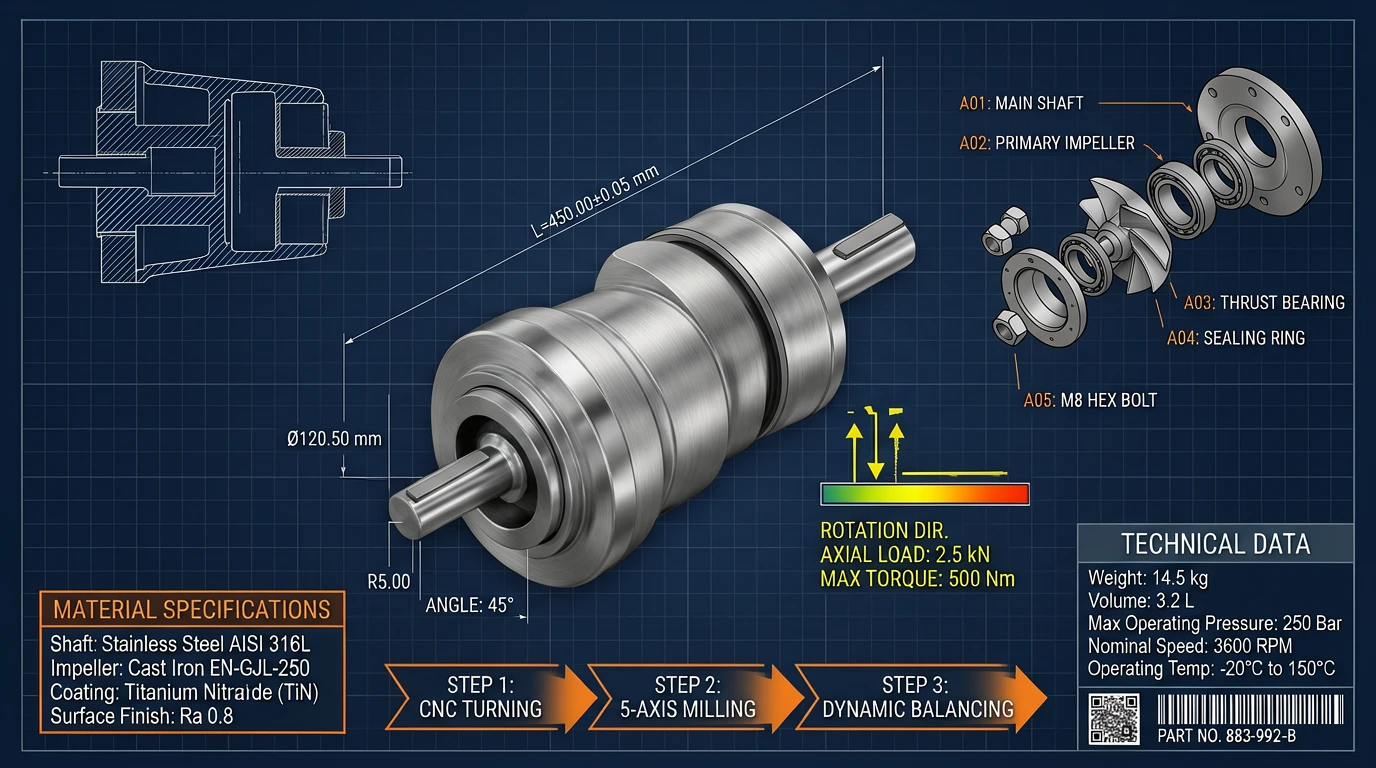
In this ERNIE Image review, text rendering is the model’s defining strength. On LongTextBench, ERNIE Image scores 0.9733, with Turbo at 0.9655—among the highest reported results for open-source AI image generators.
In real use, this translates to clear, readable text in a single generation pass—including headlines, product labels, speech bubbles, and infographic annotations—reducing the need for rerolls and manual edits.
🖼️ Example Output
Speed — Turbo vs SFT Mode
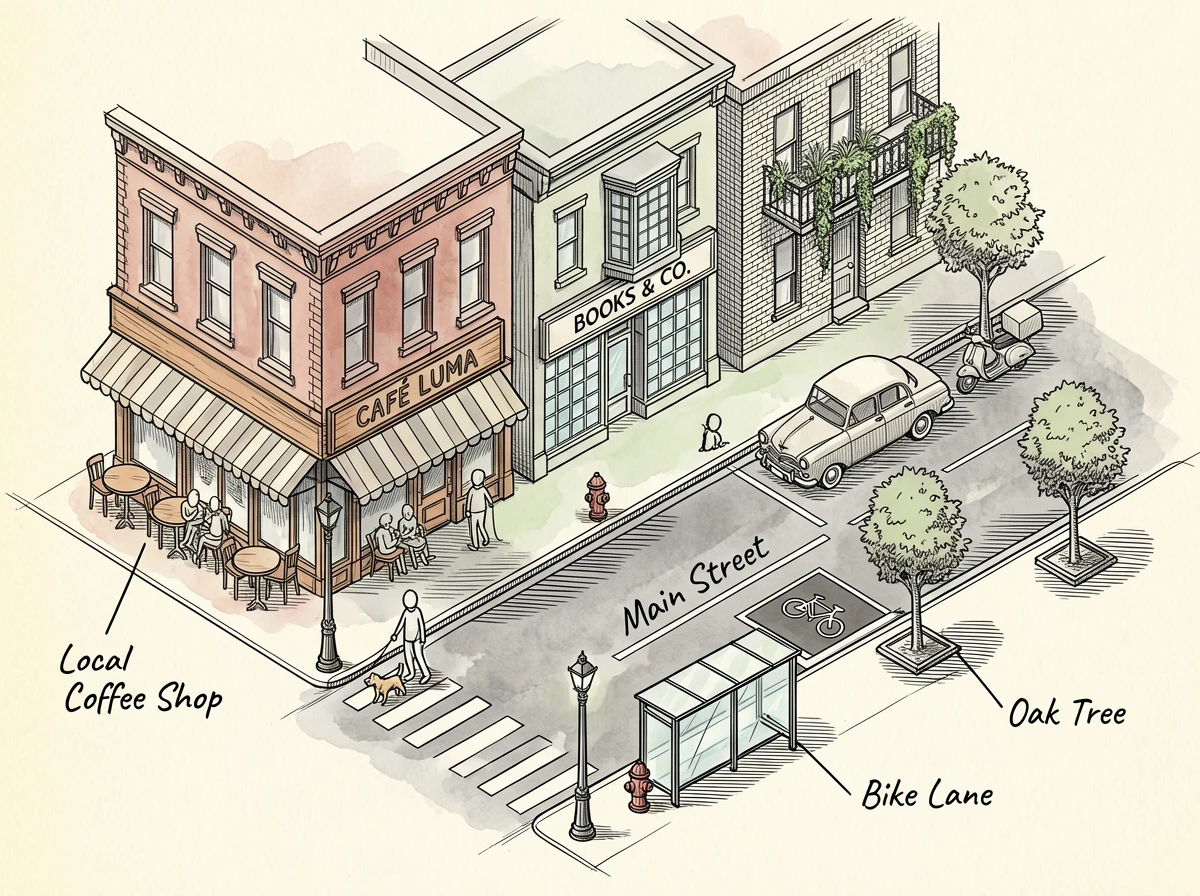
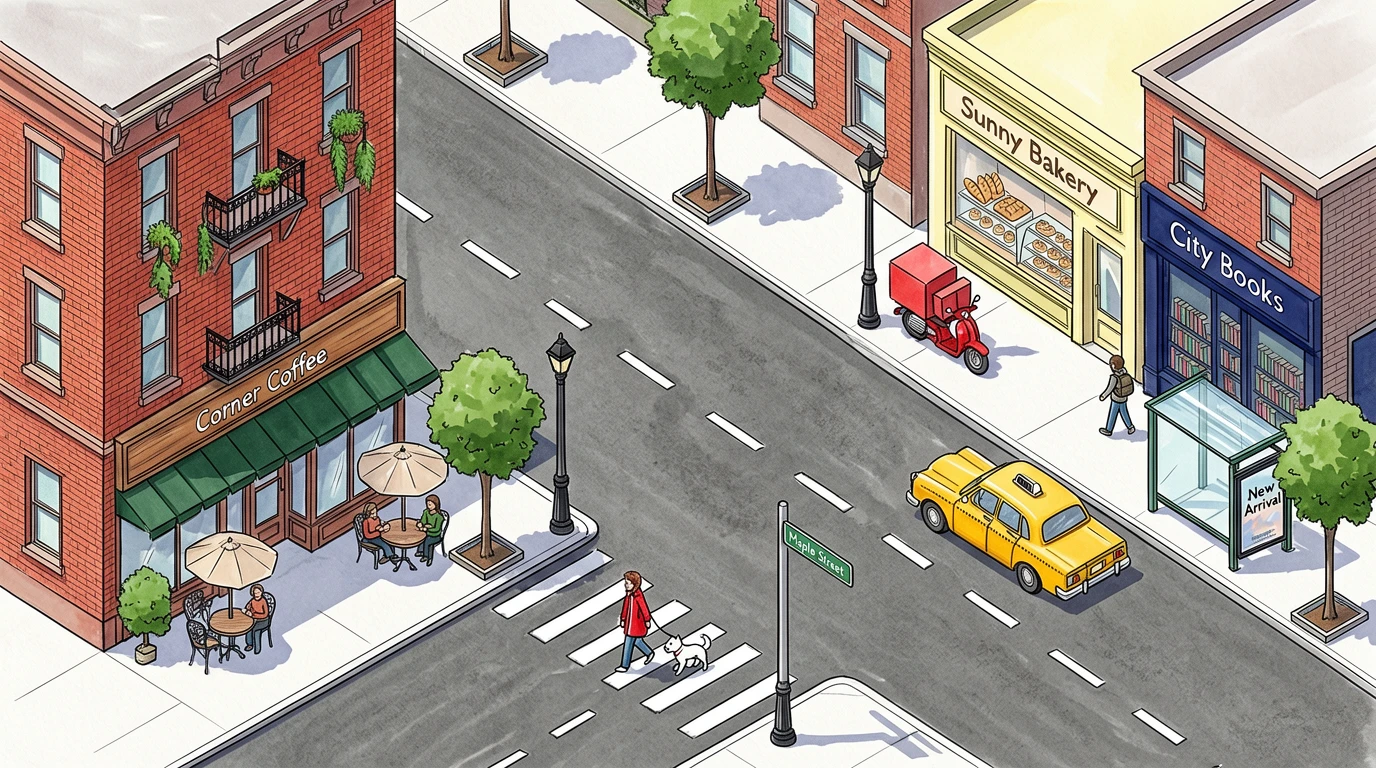
ERNIE Image offers two generation modes designed for different stages of your workflow:
- Turbo (8 steps): Fast generation for prompt iteration and concept testing
- SFT (50 steps): Higher detail and consistency for final, production-ready outputs
The quality gap between the two modes is relatively small, which makes Turbo suitable for many real-world workflows, not just drafts.
⚙️ Recommended Settings (Advanced Users)
- Turbo: guidance scale ~1.0 for speed and stability
- SFT: guidance scale ~4.0 for higher detail and control
🖼️ Example Comparison
Prompting — How Easy Is ERNIE Image to Use?
ERNIE Image is designed to be beginner-friendly without limiting advanced users. Its built-in Prompt Enhancer automatically expands a short description into a structured, production-ready prompt—covering lighting, composition, style anchors, and material details—before a single pixel is generated.
Type anything
A simple phrase like "coffee shop, warm light, cozy" is enough to start.
Enhancer expands it
The built-in 3B LLM rewrites your input into a detailed, structured prompt automatically.
Generate & iterate
Review the enhanced prompt after generation—learn from it and refine your next run.
Pro tip for text rendering
Wrap text strings in quotes inside your prompt—e.g. "SUMMER SALE 40% OFF". This significantly improves spelling accuracy and reduces garbled headlines.
👤 For Beginners
No prompt engineering knowledge needed. The Enhancer handles lighting, style, composition, and material detail automatically—you only describe what you want.
⚙️ For Advanced Users
Bypass the Enhancer for full manual control. Use camera terms, specific aspect ratios, style anchors, and guidance scale tuning (Turbo ~1.0, SFT ~4.0) for precise output.
For ready-to-use templates across 12+ categories, see our ERNIE Image Prompt Guide.
Supported Styles and Use Cases for ERNIE Image
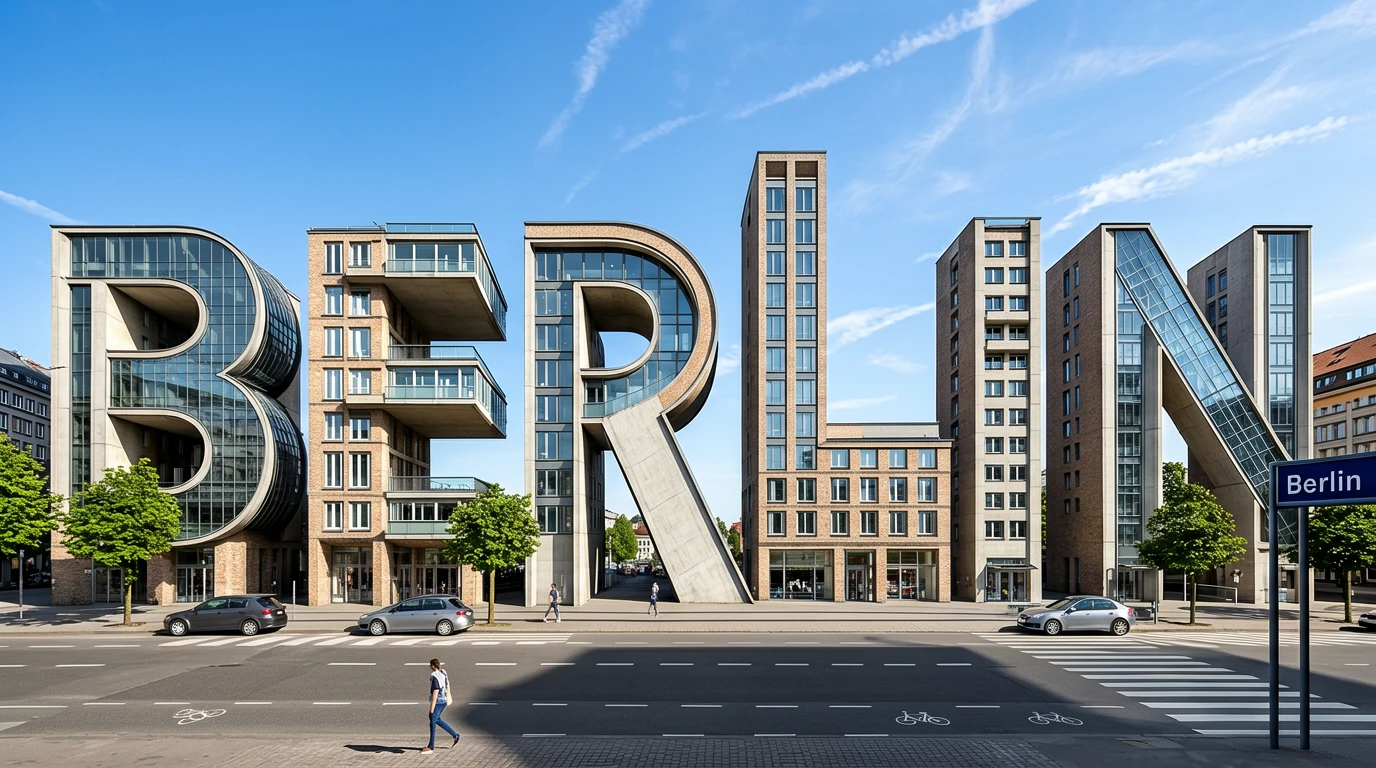
ERNIE Image supports a wide range of visual styles, with particular strength in text-heavy and structured image generation. You can explore many of these in our ERNIE Image showcase.
🎯 Posters & Marketing Materials
Strong text placement with clear, readable headlines—ideal for ads, event posters, and promotional graphics.
🧩 Comics & Storyboards
More consistent panel structure and readable dialogue compared to most open-source models.
📸 Photorealistic Portraits
Natural lighting and reliable outputs for content creation and social media visuals.
🛍️ Product Photography
Consistent composition and materials—well-suited for e-commerce listings and product variants.
🎨 Anime & Illustration
Competitive for general use, though niche fine-tuned models may offer stronger style-specific results.
🌐 Bilingual Content (EN + ZH)
Near-parity performance between English and Chinese—useful for multilingual campaigns and product labels.
🖼️ Example Outputs Across Styles

ERNIE Image Pricing and Licensing
ERNIE Image combines open-source licensing with flexible pricing options, giving you full control over cost and deployment.
Open-Source License (Apache 2.0)
The model is released under the Apache 2.0 license, which allows:
- Free local use
- Commercial deployment
- Fine-tuning and modification
- Redistribution of derivative models
What This Means in Practice
- ●No per-image licensing fees when self-hosted
- ●Commercial use permitted for real-world projects
- ●Full deployment control without reliance on closed platforms
Self-hosting also avoids dependency on third-party pricing changes, making costs more predictable at scale.
Run ERNIE Image on your own infrastructure with no per-image fees and full commercial rights. ⭐
ERNIE Image Limitations to Consider
While ERNIE Image performs strongly in text rendering and structured layouts, there are still some limitations to be aware of:
Attribute Binding in Complex Prompts
In prompts with many objects or strict constraints, precise attribute binding (e.g., exact color, position, or count) may occasionally be inconsistent. This is a known challenge across most diffusion-based models and typically requires prompt iteration to resolve.
Training Data Transparency
Public details about the training dataset are limited, which may be a consideration for enterprise or compliance-focused use. Organizations with strict data provenance requirements should review the model card before deployment.
Hardware Requirements for Local Deployment
Running ERNIE Image locally typically requires a 24 GB VRAM GPU, which limits accessibility for individual hobbyists or small teams without dedicated hardware. Cloud deployment via the hosted web app removes this barrier for most users.
Artistic Variation and Style Exploration
For highly stylized or experimental visuals, Midjourney may produce more diverse or unexpected artistic results. ERNIE Image is optimized for control and consistency, which can work against spontaneous creative exploration where unpredictable outputs are desirable.
Scope: Image-Only Generation
ERNIE Image is currently focused on image generation and does not support video generation workflows. Teams needing AI-generated video content will need a separate tool for that use case.
Very Recent Content References
Like all models with a fixed training cutoff, ERNIE Image may have limitations when prompted to reference very recent real-world events, products, or public figures that emerged after the training data snapshot.
AI Image Generator Comparison: ERNIE Image vs Midjourney vs ChatGPT Image 2
Compare leading AI image generators across text rendering, artistic quality, and deployment flexibility.
🔍 Feature Comparison
ERNIE Image stands out for predictable text rendering and open-source deployment.
| Category | ERNIE Image | Midjourney | ChatGPT Image 2 |
|---|---|---|---|
| Free Tier | Yes | No | Limited |
| Open Source | Apache 2.0 | Closed | Closed |
| Text-in-Image Accuracy | Very strong | Medium | Strong |
| Artistic Quality | Strong | Top-tier | Strong |
| Bilingual (EN + ZH) | Native | English-first | English-first |
| API Access | Yes | No public API | Yes |
| Self-Hosting | Yes | No | No |
🎯 Key Takeaways
ERNIE Image
Best for text-heavy visuals, structured layouts, and self-hosting
Midjourney
Best for artistic, stylized image generation
ChatGPT Image 2
Strong general-purpose model with API and reasoning capabilities
Real User Feedback on ERNIE Image
Early feedback from creators and technical users highlights three consistent strengths: reliable anatomy, clear text rendering, and fast iteration with Turbo mode.
Users report that ERNIE Image performs particularly well for structured visuals—such as posters, product graphics, and comics—where text clarity and layout consistency are critical.
The most common limitation mentioned is the hardware requirement for local deployment, as running the model typically requires a 24 GB VRAM GPU.
💬 What Users Like
- Readable text in a single pass (fewer rerolls)
- Consistent anatomy and composition
- Turbo mode speeds up iteration significantly
⚠️ Common Friction Points
- Local deployment requires high-end GPU (24 GB VRAM)
- Less emphasis on artistic variation compared to Midjourney
Final Verdict — Is ERNIE Image Worth Using?
ERNIE Image stands out as the most production-ready open-source AI image generator available in 2026. Its benchmark-leading text accuracy, layout control, and Apache 2.0 licensing give it a decisive edge over closed alternatives in any workflow where reliability and ownership matter.
✅ Choose ERNIE Image if you…
- Need clear, readable text inside generated images
- Want open-source weights with Apache 2.0 commercial rights
- Need API access or self-hosted infrastructure
- Work with bilingual English + Chinese content
- Value predictable, consistent layout output
⚠️ Consider alternatives if you…
- Prioritize pure artistic style over brief accuracy
- Don't have a 24 GB GPU for local deployment
- Rely heavily on Discord-based creative workflows
- Need AI-generated video, not just images
The Apache 2.0 license removes licensing uncertainty that subscription tools carry. The Prompt Enhancer lowers the skill floor for content teams. Combined, they make ERNIE Image the clearest production choice for structured, text-bearing, or bilingual visual workflows.
This review is based on public benchmark data from the official ERNIE Image release (April 2026), model-card information, technical analyses, and community testing. Scores are point-in-time snapshots and may change as evaluation scripts evolve.